|
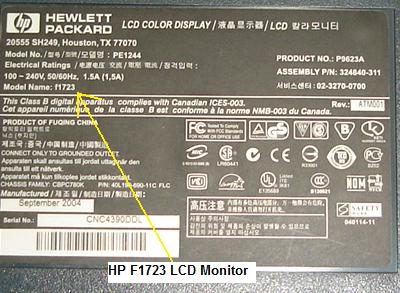
How To Solve No Power Problem In HP f1723 LCD Monitor
This HP1723 17” LCD Monitor came in with the complaint of no power. Upon further inspection I could hear a soft intermittent sound coming from the both front speakers. Since the speakers can produce some sound, this indicates that the power supply should be working fine and it may be some bad components located at the secondary side that had caused the power supply voltage to drop not to start. The power LED doesn’t light because the signal was coming from the Microcontroller (MCU) IC. This means that if the MCU did not receive the right voltage from the power supply, it will not send output voltage to the power LED.
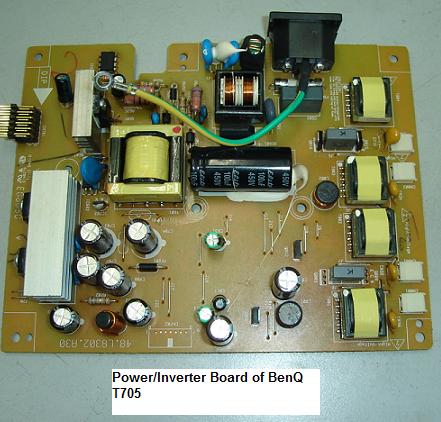
As usual, to open LCD Monitor cover , one have to be careful of not scratching or leaving a mark on the plastic casing otherwise the customer may not want to accept his or her broken or badly scratch LCD Monitor. Once the cover have been removed, you have to remove another four screws (two at each side) in order to take out the power/inverter and the Main board. For some LCD Monitors, the moment you have open the cover, you could easily remove all the boards.
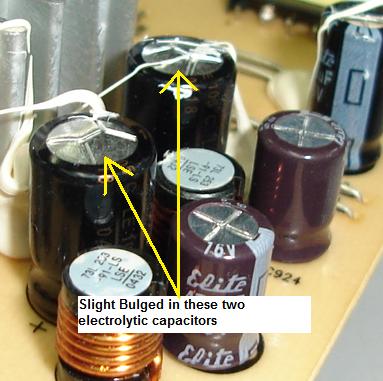
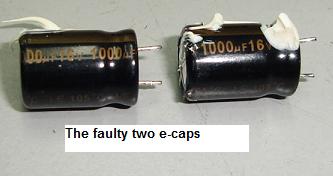
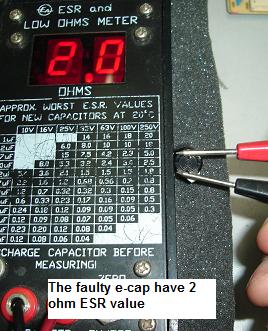
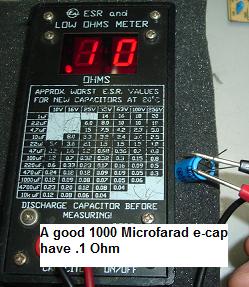
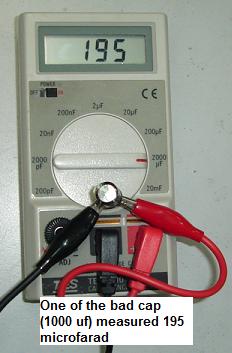
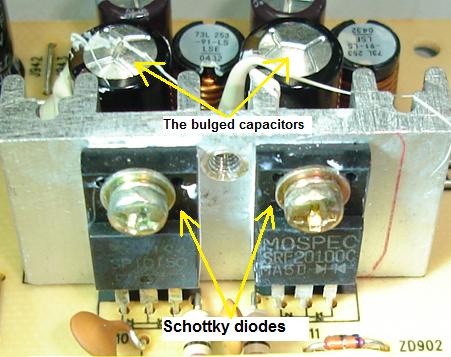
The power supply and the inverter circuit are in one board while the Main board and the audio board are in separate board. As mentioned before in my previous articles, I do not immediately begin to troubleshoot and repair any board unless I have scanned all the components with my eyes first. The power supply/inverter board look very new and the most obvious sign that I could see was two filter capacitors (1000uf 16 Volt) had a slight bulge on top of its casing. I believe these bulged electrolytic capacitors that had caused the power supply not to function properly. I have checked all other e-caps too but all found to be good.
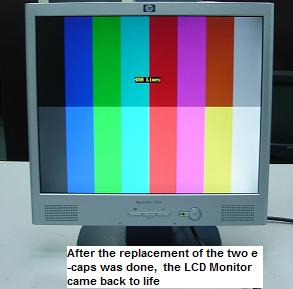
Usually whenever a filter capacitor located at the secondary side of switch mode power supply (SMPS) have a too high ESR value, the voltage will drop more than half causing many circuits won’t work. Since I already found the bad e-caps, I have to be certain that the secondary diodes (this LCD Monitor is using Schottky diodes) don’t go faulty or leaky too. Upon checking the Schottky diodes (part number are SRF20100C and SP10150) I found both of them to be working fine. Replacing only the two bad e-caps with a good one solved the LCD Monitor problem.
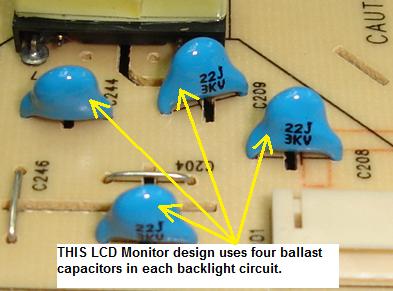
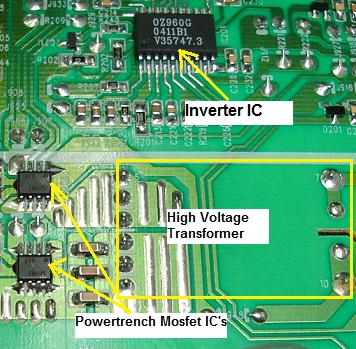
Now get this, if you want to be good in any electronic equipment repair, if possible analyze other circuits too. That means if you every time replace only the fuse and the bridge rectifier you won’t learn anything beyond that problem and you will get bored easily. Let’s take my case for example, after the replacement of the capacitors I will usually analyze other circuits too like finding out what kind of part numbers certain components are using, which type of the inverter circuit is belong to i.e. Buck Royer or direct drive?, why each backlight circuit are using four ballast capacitors?, How many backlights the LCD Monitor is using, what is the inverter IC part number, what is the supply voltage to the inverter IC? How many LED bar lighted up when test on the secondary winding of the high voltage transformer? What would happen if I pull out one of the backlight (will it still work or shut down?). What is the brightness line voltage if set to minimum and maximum? You have to answer all of these questions if you want to be good at LCD Monitor repair. You can apply this kind of questions on other electronic equipment too. This is a continuous process of learning how to be good in electronic repair.
I don’t want you to replace caps or fuse everyday without knowing how other circuits function or what are the components used in other circuits. Although to analyze other circuits take you lots of time but I can guarantee you that the time you have spent are worth it. You won’t be able to go far if you have set your thinking by just changing components and not knowing the surrounding. If you want to improve in electronic repair then you need a change of mindset in you and only you yourself can make the different! Try this approach and I believe troubleshooting electronic will never be the same again. Please visit my electronic repair blog also on how to solve display shutdown problem. Have a great and a fantastic year!
Click Here To Learn How You Can Become A Professional In LCD Monitor Repair!
|
|
Copyright@ 2006-2014-www.ElectronicRepairGuide.com All Rights Reserved