|
How To Scan For Bad Components/Section Before You Start To Repair
For every electronics repairer especially the beginners, I’m sure you will be very excited to start troubleshooting when you have learned all those know how electronics repair methods from books or from the internet. After you know what is the complaint of the equipment, you are eager to immediately open the dead set and apply the techniques that you have acquired to troubleshoot and hopefully could find the fault. You begin to remove the cover, turn on the oscilloscope and solder gun, have all your meters ready as seems like you are going for a war! In actual fact of troubleshooting, it is not necessary have to be in that way because many faults can be identified even before you turn on the solder gun! Do you believe that with the help of your senses like vision, hearing, smell, touch (except taste) or even your common sense, you can easily locate the cause of the problem? Let me explain more in details:
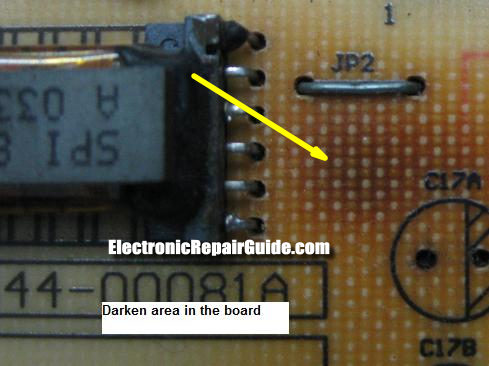
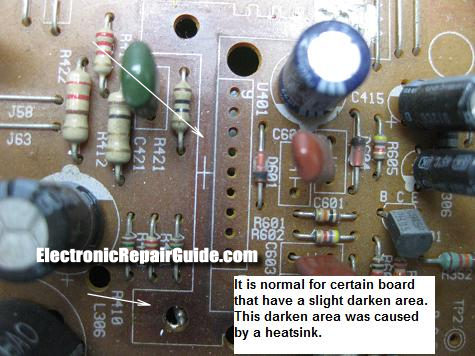
Darken Area
With your eyes you can scan for darken areas in the board. There must be a reason why the board has turned into darker area. The reason is because one or more components have failed (mostly shorted) in that area and this had caused the component to run extra hot thus changing the color of the board. Many times I had found components that is either leaky or completely shorted in the darken area and those components are usually semiconductors like transistors, diodes and ICs. Check also for corresponding component like e-caps that had caused the semiconductors to go shorted. Even if there is a slight change in the board color, I would check the components in the area too. However there is an exception because a low quality board may have many darken areas too.
Again you must use your common sense because if the complaint is color missing, would you concentrate checking on the power supply primary section? The more you work on a board, the easier you will know if the darken area have bad components in it or not.
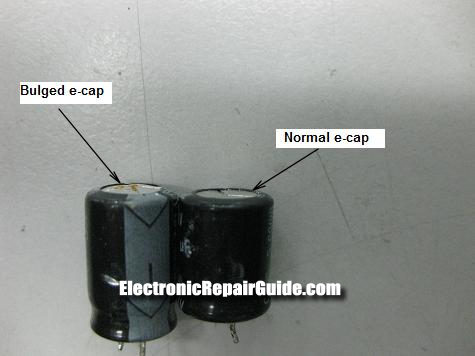
Bulging In Electrolytic Capacitors
I guess I would not explain more about this component. It is so easy to detect if this cap is good or bad. As a rule of thumb, just directly replace all electrolytic capacitors that you found to be bulged especially on the top of the capacitor. Many times a bulged capacitor can be tested good even using good meters but fail when under load. So the best is to replace the bulged caps and retest the set.
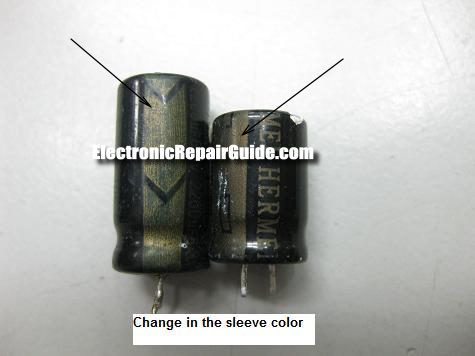
In some cases, the electrolytic capacitors sleeve could change color and this also indicate that the capacitor already went through some stress and need to be replaced.
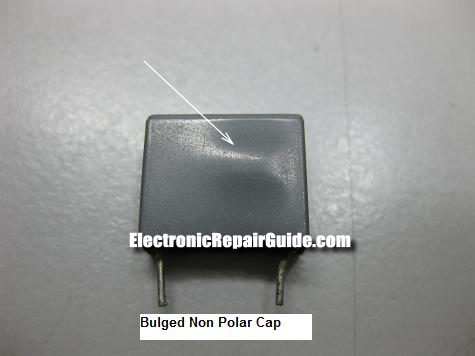
Bulging In Non Polarity Capacitors
The explanation above same goes to non polarity capacitors. If there is a bulge on top or at the side of the capacitor, just direct replace the component and retest. Usually if the Non polarity capacitor have problem, it would cause the corresponding components to fail too. Take a look at the case of LCD Monitors for example, if you found that the tuning capacitor in the high voltage transformer have problem, the transistors that have connection with the non polarity capacitor usually will go shorted.
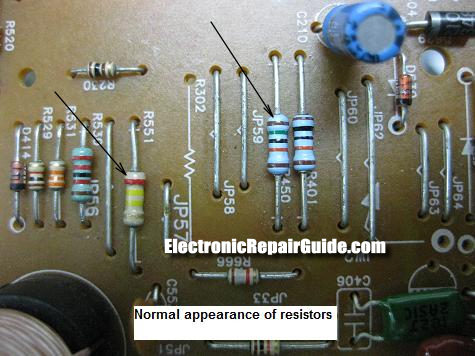
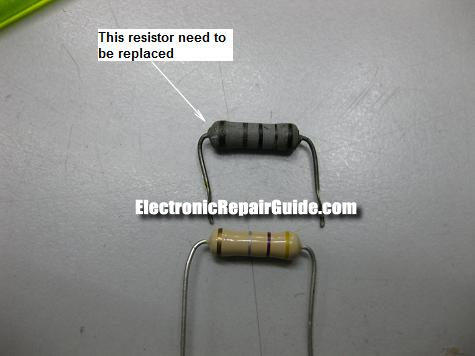
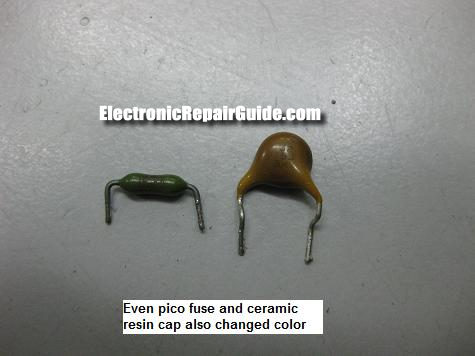
Change In Resistor Color
If the resistor is the normal small wattage ¼ to 1 watt carbon film resistor then do not expect it to run hot and change color. A bigger resistor like the 2 watt can be running hot but not too hot till it change the color at the body. If you see a resistor color that is usually darker than normal then check that resistor and if possible directly replace it even though it is tested good. You would not know that this particular resistor may cause intermittent fault to the equipment.
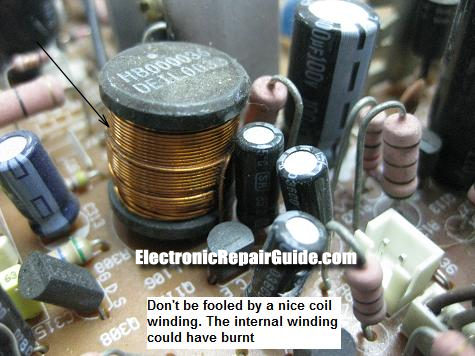
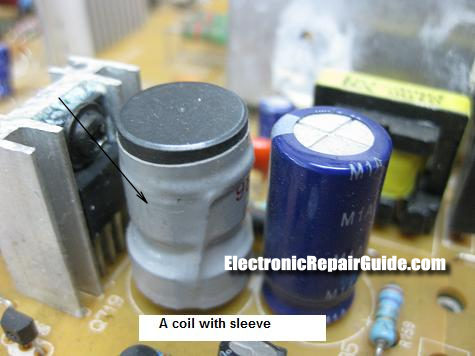
A Burnt Coil
This is where the vision and the smell senses come into action. You could easily locate a burnt coil and it will be in black color but you can’t see it if the coil internal winding have burnt. That means the outlook winding could still look shiny but the internal loop already burnt. You can smell it or use a Blue Ring Tester to confirm it. A burnt coil usually happen in a bigger size coil like the B+ coil and not those small coils along the lines of the SMPS output. Some coils may have a sleeve covering it and if the sleeve torn or change in color then suspect that the coil may have problem.
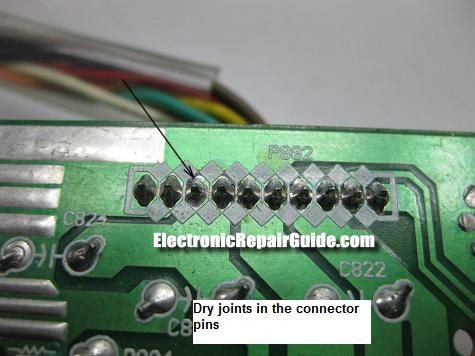
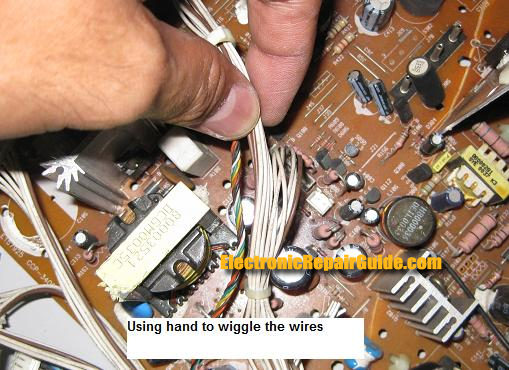
Dry joints in the connectors
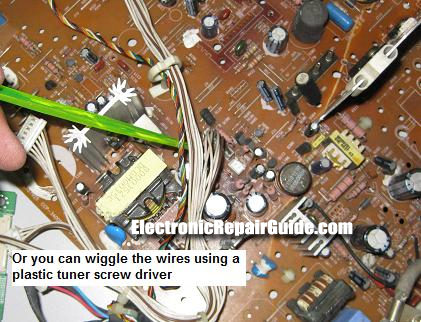
Dry joints in the connector area could cause the wires/cables to loose and it could create intermittent problem. While turning on the machine, you can use your hand or a screw driver that have plastic shaft to wiggle the wires/cables to check if there is any loose connection. Even after you have repair an equipment you are encourage to apply fresh solder onto this point to avoid future call back. It is quite common that you can find dry joints on the connector points.
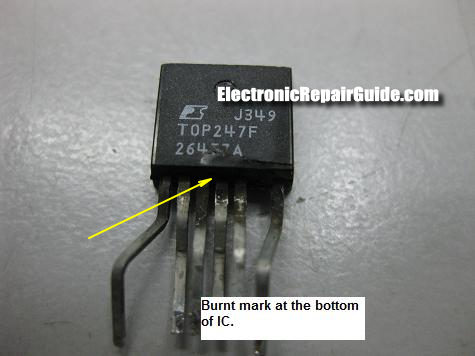
Missing Part Number in Semiconductors
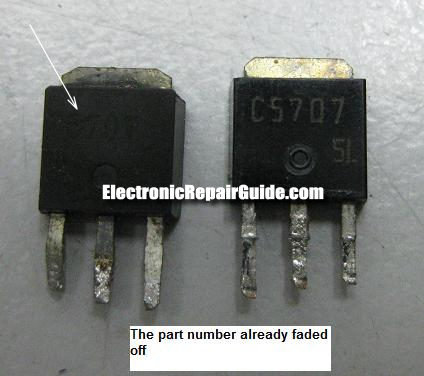
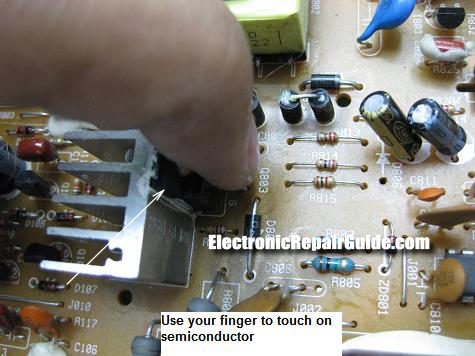
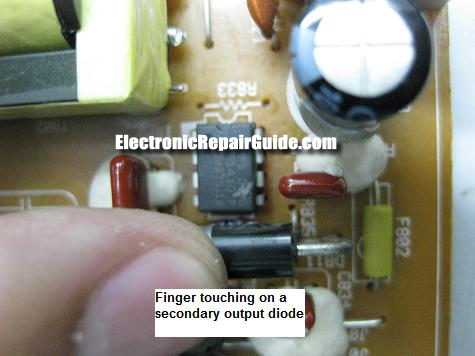
Diodes, Transistors and ICs (mainly power ICs) that is shorted could cause the part number that is printed on its body to fade away. The part number may not look as clear as before and sometimes you could notice the board where the components legs are fitted into the holes have changed color. You may also use your finger to touch on these semiconductors to check if it too hot to be touched. Make sure you have discharge first the big capacitor before placing your finger on those semiconductors. Some power IC could have burnt mark under it so you may need to check on this too.
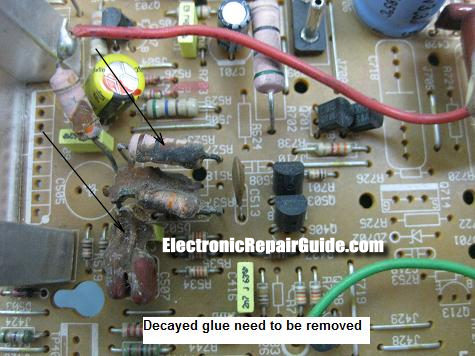
Decayed Glue
I have mentioned it many times in my previous article about the problem that the decayed glue can cause. It can cause intermittent and solid problem thus if you see those glue please remove and clean the board.
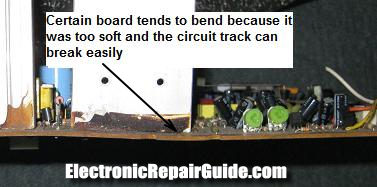
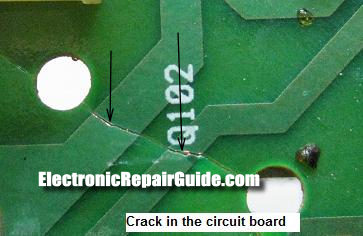
Thin and Thick Boards
If you are a seasoned electronic repairer I’m sure you have come across different type of boards in electronic equipment. I pay attention particularly on those boards that is thin and fragile. Why? because those boards can easily crack and give all sorts of problem from intermittent to solid problems. You may miss a hairline crack on those circuit lines if you did not use a magnifier glass to see it in a close range. A hairline crack is one of the toughest problems to tackle because in our mind we always assume the circuit lines are good and did not break.
Make Sure The Board Is Clean
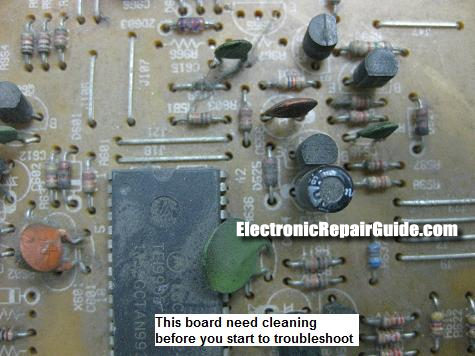
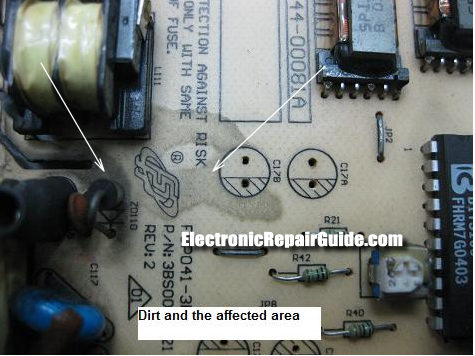
Not every board that come in for repair is clean. Most of the time you will notice dust and you have to make sure that the board did not have any residue of coke or coffee in it. Since these drinks are acidic it can easily create havoc in the circuit board like causing components pins to rust and create a conductive path between two nearby components.
Hairline Crack In Components.
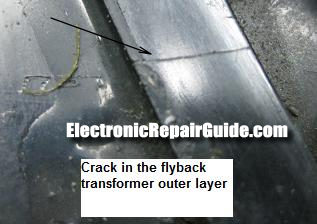
Hairline crack can be happened to any components (except electrolytic capacitors and coils) and it is easily noticeable in a bigger component like the Fylback transformer. A tiny crack in the flyback can cause arcing. For smaller components you have to use a magnifier glass (preferably at least X 10 range) to see it. Don’t be surprised I have seen tiny crack and pinhole in power ICs and diode.
What About Board That Use SMD Components?
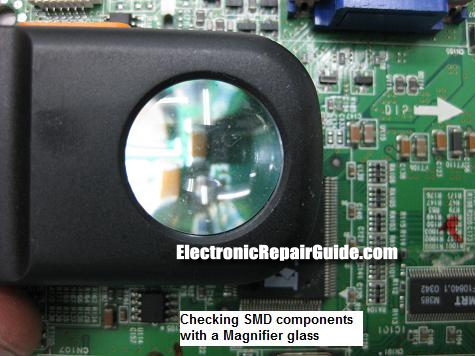
There is not much different in identifying problems in the SMD board compare to the normal boards that have bigger components in it. Just use a magnifier glass and begin to see on all components. Generally, SMD boards is smaller than the normal board and whatever that you have learn from the above can be applied to the SMD board. A burnt SMD component can be easily spotted by bare eyes.
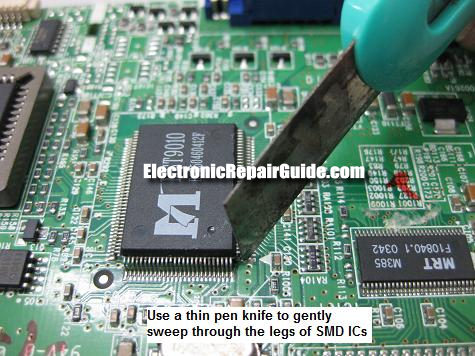
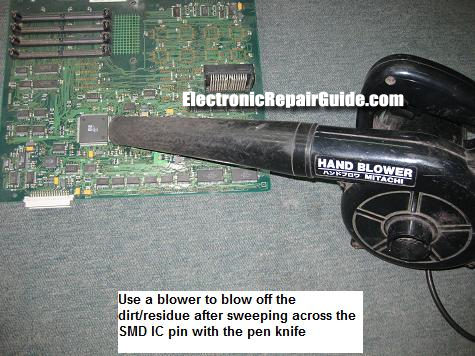
In the SMD board you can use a thin pen knife to sweep across all the SMD ICs legs to make sure that it is intact. A loosen leg can cause intermittent problem and you will have headache in troubleshooting it. You need to use a blower to blow off the dirt or residue to avoid adjacent short between the pins (legs).
Conclusion- These are all the sign in the board that you should check it out first before you start to perform the repair. All the signs that I have mentioned above are the clues and you can’t ignore it. If you miss a bad component because of your ignorance of those signs, you may be wasting tons of time when doing the repair work. I suggest that you reread this article so that the knowledge from this article can impart your troubleshooting and repairing skills thus making you better than you were yesterday! See you again next month.
Click Here For The Secrets Of Repairing Switch Mode Power Supplies
Click here to learn how you can become a Professional in Testing Electronic Components
Click here to learn how you can become a Professional in LCD Monitor Repair
Recommendation:
Recommended Mr Steve Cherubino Laptop Repair Videos For Beginners!
Recommended Mr Kent Projection Television Repair Membership website-Visit Now!
Recommended Mr Kent LCD TV Repair Membership website-Visit Now!
Recommended Mr Kent Plasma TV Repair Membership website-Visit Now
|
|

Copyright@ 2006-2014-www.ElectronicRepairGuide.com All Rights Reserved